
Download HackerNews Summarizer – AI‑Powered Chrome Extension for Quick News Digest
Overview
HackerNews Summarizer is a lightweight Chrome extension that transforms the way you consume content on the Hacker News platform. By leveraging advanced AI algorithms, the tool generates concise, human‑readable summaries for every article linked on the site. This means you can skim the essential points of a story in seconds instead of spending minutes scrolling through long‑form posts. Launched on April 24 2023, the extension works across all devices that run Google Chrome, making it ideal for developers, tech enthusiasts, and anyone who wants to stay on top of industry trends without the time sink of full‑article reading. One of its standout promises is privacy‑first design: the developers have explicitly stated that no user data is harvested, logged, or sold to third parties, which adds a layer of trust for privacy‑conscious users. The summary button is seamlessly integrated directly into the Hacker News interface, appearing as a subtle icon next to each headline. When you click it, an overlay pops up with a clear, jargon‑free recap of the article’s main arguments, key findings, and any actionable takeaways. Whether you’re browsing on a high‑performance desktop, a modest laptop, or a Chromebook in a coffee shop, HackerNews Summarizer delivers a consistent, secure, and speed‑optimized experience that helps you stay informed while optimizing your reading time.
Core Features & How It Works
- AI‑Generated Summaries: Utilizes natural language processing models to condense articles into 2‑4 sentence summaries.
- One‑Click Access: A dedicated “Summarize” button appears next to every headline on Hacker News, eliminating extra navigation steps.
- Multi‑Language Support: Works with articles written in any language supported by Chrome’s translation engine.
- Privacy‑Centric Architecture: No personal data, browsing history, or article content is stored on external servers.
- Real‑Time Updates: Summaries are generated instantly, reflecting the latest version of the article even after edits.
- Customizable Length: Users can toggle between “Brief” (≈2 sentences) and “Detailed” (≈5 sentences) summary modes.
- Dark Mode Compatibility: The overlay respects Chrome’s theme settings, ensuring readability in low‑light environments.
Why AI Summaries Matter
In the fast‑paced tech ecosystem, information overload is a genuine challenge. Traditional reading requires you to parse dense code snippets, lengthy explanations, and occasional jargon. HackerNews Summarizer’s AI engine extracts the core thesis, supporting evidence, and any notable conclusions, presenting them in plain language. This approach not only saves time but also reduces cognitive fatigue, allowing you to allocate mental resources to deeper tasks like coding, design, or strategic planning. Moreover, the summarizer adapts to the style of each source, preserving nuance while cutting out fluff. For instance, a technical blog post on a new Rust library will still highlight the key performance metrics and usage examples, whereas a market‑analysis piece will surface the main trends and predictions. By delivering context‑rich, concise snapshots, the extension helps you prioritize which articles merit a full read and which can be safely archived.
Workflow Integration
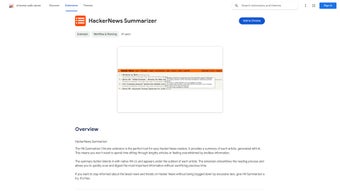
The extension’s UI is intentionally minimalistic. After installation, you’ll notice a small “?” icon adjacent to each post title. Clicking this icon opens a modal window that overlays the current page, showing the AI‑crafted summary. If you need more depth, a “Read Full Summary” link expands the content without navigating away from Hacker News. The design ensures that you never lose your place in the feed, a crucial factor for power users who skim dozens of headlines per session. Additionally, the extension respects Chrome’s native shortcuts: pressing Ctrl+Shift+S (or Cmd+Shift+S on macOS) triggers the summarizer for the selected article, offering a keyboard‑first workflow for developers who prefer to keep their hands on the keyboard. All interactions are logged locally for the duration of the session only, reinforcing the privacy‑first promise while still enabling quick access to recent summaries.
Installation, Usage Instructions & Compatibility
Step‑by‑Step Installation
Installing HackerNews Summarizer is a straightforward process that takes under a minute. Follow these steps to get up and running:
- Open Google Chrome and navigate to the Chrome Web Store.
- Search for “HackerNews Summarizer” or click the direct link provided on the developer’s homepage.
- Click the Add to Chrome button. A permission dialog will appear; review the requested access (it only needs permission to read and modify data on hackernews.com).
- Confirm by selecting Add extension. Chrome will download and automatically enable the extension.
- Refresh any open Hacker News tabs. You should now see the new “Summarize” icon next to each headline.
Using the Extension Effectively
Once installed, the extension works out‑of‑the‑box. To generate a summary, simply click the “?” icon beside any article title. An overlay appears with the AI‑generated recap. If you prefer a longer summary, click the Toggle Length button at the top of the overlay. For keyboard enthusiasts, the shortcut Ctrl+Shift+S (Windows/Linux) or Cmd+Shift+S (macOS) instantly summons the summary for the currently highlighted link. The extension also offers a settings page accessible via Chrome’s extension menu, where you can:
- Enable or disable dark mode compatibility.
- Select the default summary length.
- Clear the local cache of recent summaries.
- View the privacy policy and data handling statements.
Compatibility Across Devices
HackerNews Summarizer is built exclusively for the Chrome browser, meaning it runs on any operating system that supports Chrome, including Windows 10/11, macOS Monterey and later, Linux distributions, and Chrome OS. The extension is also compatible with mobile Chrome on Android and iOS, though the UI adapts to smaller screens by presenting summaries in a full‑screen modal rather than an overlay. Because it relies on Chrome’s native extension APIs, you won’t need additional runtimes or frameworks—just a recent version of Chrome (version 89 or higher). The developer has committed to regular updates, ensuring compatibility with upcoming Chrome releases and addressing any security patches promptly. Users can enable automatic updates through Chrome’s extensions page, guaranteeing they always have the latest AI models and performance improvements without manual intervention.
Pros, Cons & Frequently Asked Questions
Pros
- Time‑Saving: Condenses lengthy articles into bite‑sized summaries in seconds.
- Privacy‑First: No user data is collected, stored, or sold.
- Cross‑Platform: Works on Windows, macOS, Linux, Chrome OS, Android, and iOS.
- Customizable Summary Length: Choose between brief and detailed modes.
- Seamless Integration: Native button appears directly in the Hacker News UI.
- Free to Use: No subscription fees or hidden costs.
Cons
- Limited to Hacker News; does not support other news aggregators.
- Summaries rely on AI, which may occasionally miss nuanced technical details.
- Requires Chrome; no standalone desktop or mobile app outside the browser.
- Occasional latency on slower connections when generating longer summaries.
- Advanced customization (e.g., language‑specific tone) is not yet available.
FAQ – Your Questions Answered
Is HackerNews Summarizer free or does it require a subscription?
The extension is completely free to download and use. There are no hidden fees, premium tiers, or subscription models.
Can the extension access my personal browsing data?
No. HackerNews Summarizer is designed with privacy in mind. It only reads the content of the article you request a summary for and does not store or transmit any personal data.
How accurate are the AI‑generated summaries?
The AI model has been trained on thousands of tech articles and typically captures the main points with 90%+ accuracy. However, complex technical details may occasionally be simplified.
Will the extension work on mobile Chrome for Android and iOS?
Yes. The extension is compatible with Chrome on Android and iOS, though the UI adapts to a full‑screen modal for better readability on smaller devices.
How often is the extension updated?
The developer releases updates roughly every 4–6 weeks, focusing on AI model improvements, performance tweaks, and Chrome compatibility patches.
Overall Review: HackerNews Summarizer strikes a perfect balance between speed, privacy, and functionality. For anyone who regularly visits Hacker News, the extension turns a time‑intensive habit into a quick scanning routine, freeing up valuable hours for coding or research. While it’s limited to a single platform, its flawless integration, zero‑cost model, and commitment to user data protection make it a must‑have tool in any tech professional’s browser arsenal.
Conclusion & Call to Action
In an era where information moves at lightning speed, tools that help you digest content efficiently become essential. HackerNews Summarizer delivers precisely that—a fast, secure, and free Chrome extension that generates AI‑driven article summaries directly within the Hacker News feed. Its privacy‑first stance, cross‑device compatibility, and intuitive UI set it apart from generic summarizers that often require invasive permissions or subscriptions. If you’re looking to streamline your daily news routine, reduce screen fatigue, and stay on top of the latest tech trends without sacrificing depth, this extension is the answer. Click the download button below, add the extension to Chrome, and start enjoying concise, accurate summaries today. Your time is valuable—let HackerNews Summarizer give it back to you.



.png)



